
Buying Streamyx Homeplug
Remember Streamyx Homeplug that I talk about long time ago? Well, yesterday I did went to TMpoint Menara Telekom, and get a pair for myself. Tada… Here it is

“Now at
RM238RM188 per pair only. Exclusive offer to tmnet streamyx subscriber”
Huhuhu. It sounds like, yes. I’m a streamyx subscriber, and I can buy it for RM188. How lucky I am. Well, as a matter of fact, when I went there, they didn’t really ask whether you are streamyx subscriber or not. Meaning, if I’m not using streamyx, and I go there to buy, I get to buy it at RM188 too. So what’s the point of that phrase?
Back to Homeplug packaging. Don’t let the outside look fools you. People said don’t judge the book by its cover. Well, don’t judge this by its cover too. What inside this box is really Aztech Homeplug. Aaahhh I see. So Streamyx is some sort a reseller of this product. I wonder it will be cheaper to buy these things outside.

Ok. Upon opening the box, you will see 2 homeplug units inside, 2 network cable, user manual, warranty card and CD-ROM containing soft copy of the manual and also utility software.

Why on earth do I need this? Well, it’s for baby below. Her network port needs something plugged in.

Anyway, I always hooked up my Xbox to network, mainly for transferring DivX movie files that I downloaded from torrent, and I can watch it from the comfort of the TV at my living room.
I place my PC in my bedroom. I just like privacy when doing my work, and I don’t really want to get distracted or distracting guest that I have in my living room while the are watching TV or DVD.
As I described in my previous entry, this homeplug will elimate the need to use seperate network cables by using your house electricity wiring.
So, let’s test it out. The first one I plug in to the power extenson outside, and connect the network cable from the plug to Xbox.

The second one, I plug it to the power extension in my room, and connect the network cable from the plug to my router.

I switch on both homeplug, and after a while the middle LED (PL-LINK) is lit, stating that the plug can find another plug in the area, and has created a network link between the two.
But nothing can beat from connecting the Xbox directly to the router, using normal UTP cable. This homeplug only supports 10Mbps connection. That dissapoints me a bit. Well, it is more than enough for internet sharing, but to tranfer big files between two parties, it’s going to be slow.

Anyway. It’s good enough. As I don’t have quite long network cable, before, I have to unplug the Xbox from my living room, bring it into my bedroom, hook it up to the router, and start transferring files.
Lets switch the Xbox on now. I really hope this is working. After EvolutionX dashboard has started on my Xbox, I then look at the DHCP list of my router.
Yatta!!! IP has been assigned to my Xbox by DHCP. So it means that it works!!!

So now, lets transfer Naruto Divx that I downloaded to Xbox. Hhhmm. The max speed that it can get is only around 5.5Mbps????

Well, in the manual, it says that to plug the Homeplug directly to the wall socket, and not to use power extension. But I only have 1 wall socket at each side. I have to use the power extension. Maybe it’s the reason my the max speed is only around 5.5Mbps. Guess I’ll test it some other time.
Anyway, I quite satisfy with all the setup. Now my PC can communicate with Xbox in the living room. No more unplugging the Xbox and bringing it to my bedroom everytime I want to upload new things. And I also can start tidying up my A/V wiring.

So as for now, let’s watch Naruto anime, downloaded from internet, played using my Xbox – using Xbox Media Player, displayed on my TV and watched at the comfort of my living room.






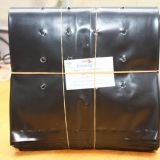


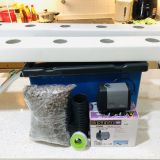
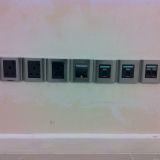







wahhh bestnya!!! bErapa kos smuanya imran?
ada tulis kat kotak tu amirah. RM188 je. hehehehe
kepalaku pusing..macam gasing-gasing..
again, tu nak tunjuk gambar home plug itukah atau puzzle di bawahnya, encik Imran…hahaha..
cik moon. nih org panggil double entry. bercerita pasal homeplug, tapi secara tak langsung, bercerita jugak pasal puzzle yg dah 3 bulan tak siap2 tu. hehehehe
wah bestnyer.. cam media center.. nanti aku nak tulis lak kat blog aku, camne aku connect pc ke tv & hifi..
hehehe zaif. x sabar nak tgk info tuh. nak tahu camner ko buat benda tu. semlm, aku just jumpa another thing, Xbox Media Center. aku baru je install software tu kat xbox aku. wah. yg tu lagi cool. tak yah transfer file2 tu ke xbox dulu. dia terus leh stream movie tu dari pc ke xbox (dan ke tv). nantikan blog aku pasal tu gak. hak hak
what a stupid person u are.
a fool person to spend a lot of money (RM188) on a lame device..u could make a proper wirering at that price and less.. that homeplug device is claimed to be 14mbps is only capable of transferring between 3-5mbps even u hook it directly to the socket. haha..fool. u can get 100mbps with less money with wired network. haha.. what a stupid person on earth u are. i cant imagine..
hahaha.. STUPID ! atau BODOH ! BANGANG !
well, you really look like a moron person that likes to brag when you can’t afford to get one. and it a bonus stupid for you as well for not being able to read between the lines of what i wrote here. i’m not that dumb to know that it’s faster to use ethernet cable, and it’s cheaper also. but don’t you feel the excitement of trying something new? internet connection via your power lines? is that something amazing? i guess a dumb ass like you can’t see how this thing can come in handy if you need to quickly get connected anywhere in the house without having to pull that long ethernet cables from the router to where you are at that time?
agree with u, sometime we are just excited to try new gadget… uarestupid tu cam langau… dah tak suka boleh blah, kita beli guna duit sendiri, bukannya menteri yg beli guna duit rakyat…